Imagine going to the post office to mail an important letter containing a bill payment. The clerk receives your money, stamps the receipt, and hands it back to you. However, before the clerk places the letter into the outgoing mail bag, a power outage occurs, forcing an emergency evacuation. In the confusion, your letter remains forgotten on the counter. Your payment was recorded in the post office's register, but the physical message never reached its destination.
In microservice-based software architectures, this exact issue happens frequently. When application code needs to save a record to a database (such as creating a new customer order) and immediately notify another service by sending a message (via RabbitMQ or Azure Service Bus), two independent operations take place in separate locations. If the database saves successfully but the network connection fails at the precise moment the message is published, your system enters an inconsistent state: the order exists in the database, but inventory and billing services will never know about it.
Learning how to prevent this communication breakdown is a fundamental milestone for software engineering students. The Transactional Outbox Pattern offers a definitive architectural solution to ensure that database state and outgoing queue messages remain synchronized at all times.
1. What is the Outbox Pattern and How Does It Work in Practice?
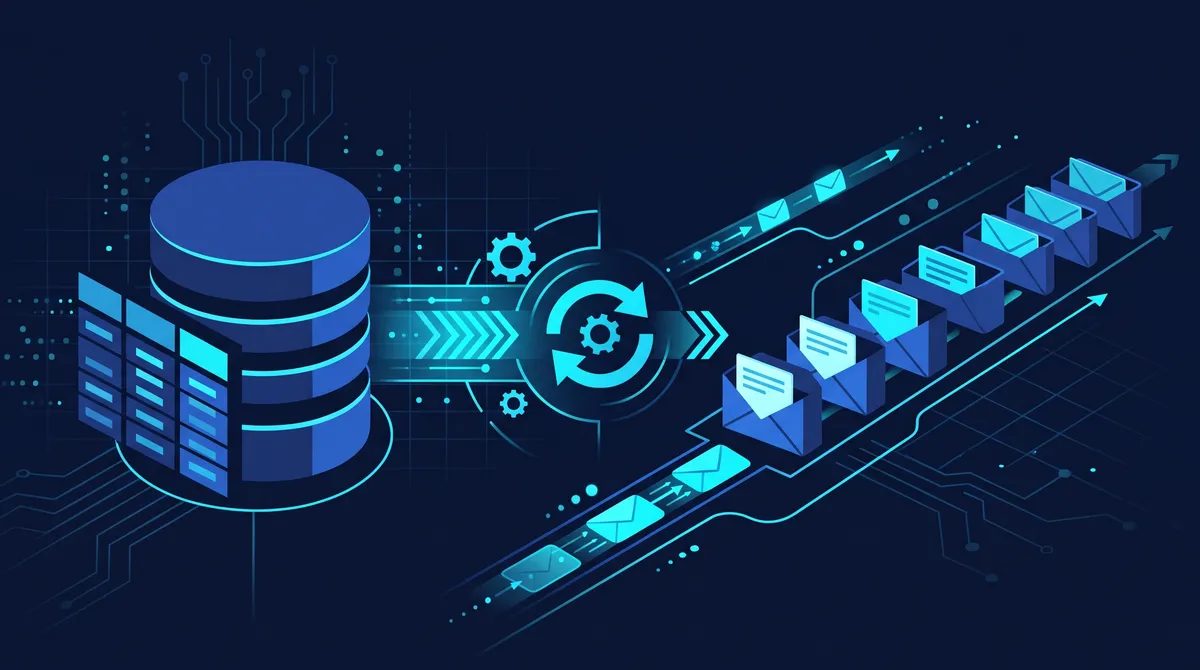
The Outbox Pattern is an architectural strategy designed to guarantee reliable messaging in distributed systems without data loss. Instead of publishing a message directly to an external message broker (like RabbitMQ) inside your core business logic, the outgoing message is written to a temporary table within the same local database that holds your primary application entities.
Because saving the application data and writing the event record happen within a single database transaction, we preserve ACID properties (Atomicity, Consistency, Isolation, Durability). Either both operations succeed together, or the transaction rolls back entirely.
Step-by-Step Execution Flow:
- Transaction Initiated: An incoming HTTP request triggers an action (e.g., CreateOrder).
- Dual Local Write: The application inserts the new Order into the orders table and writes the corresponding OrderCreatedEvent to a dedicated OutboxMessages table.
- Atomic Commit: The database transaction completes (SaveChangesAsync). If an error occurs prior to commit, neither record is persisted.
- Outbox Processor (Worker): A background process (such as MassTransit's built-in outbox worker) periodically checks the OutboxMessages table for pending records.
- Guaranteed Dispatch: The background worker publishes the message to the message broker and updates the outbox table record as dispatched.
Practical Example with Entity Framework Core and MassTransit
Within the .NET ecosystem, pairing Entity Framework Core (EF Core) with MassTransit simplifies the implementation of the Outbox Pattern.
1. Configuring the DbContext for Outbox Entities
MassTransit provides extension methods that automatically configure the required outbox schema within your EF Core data model.
C#
using MassTransit;

using Microsoft.EntityFrameworkCore;


public class AppDbContext : DbContext

{

    public AppDbContext(DbContextOptions<AppDbContext> options) : base(options) { }


    public DbSet<Order> Orders => Set<Order>();


    protected override void OnModelCreating(ModelBuilder modelBuilder)

    {

        base.OnModelCreating(modelBuilder);


        // Maps MassTransit Outbox tables automatically

        modelBuilder.AddTransactionalOutboxEntities();

    }

}
2. Registering MassTransit in Program.cs
In the application startup configuration, enable EF Core Transactional Outbox integration.
C#
var builder = WebApplication.CreateBuilder(args);


builder.Services.AddDbContext<AppDbContext>(options =>

    options.UseSqlServer(builder.Configuration.GetConnectionString("DefaultConnection")));


builder.Services.AddMassTransit(x =>

{

    // Enables EF Core Outbox integration

    x.AddEntityFrameworkOutbox<AppDbContext>(o =>

    {

        o.UseSqlServer();

        o.UseBusOutbox(); // Binds bus publishing to EF Core transactions

    });


    x.UsingRabbitMq((context, cfg) =>

    {

        cfg.Host("localhost", "/", h =>

        {

            h.Username("guest");

            h.Password("guest");

        });


        cfg.ConfigureEndpoints(context);

    });

});
3. Publishing Events Safely Within Transactions
With the Outbox configured, calling IPublishEndpoint inside services or API endpoints no longer performs immediate network I/O; instead, the operation attaches to EF Core's active transaction.
C#
public class OrderService

{

    private readonly AppDbContext _dbContext;

    private readonly IPublishEndpoint _publishEndpoint;


    public OrderService(AppDbContext dbContext, IPublishEndpoint publishEndpoint)

    {

        _dbContext = dbContext;

        _publishEndpoint = publishEndpoint;

    }


    public async Task CreateOrderAsync(decimal amount, string customerEmail)

    {

        var order = new Order { Id = Guid.NewGuid(), Amount = amount, Email = customerEmail };


        // 1. Stage the new entity

        _dbContext.Orders.Add(order);


        // 2. Queue the message to the Outbox

        await _publishEndpoint.Publish(new OrderCreatedEvent

        {

            OrderId = order.Id,

            Amount = order.Amount,

            CreatedAt = DateTime.UtcNow

        });


        // 3. Persists both the Order record AND Outbox event in one SQL transaction!

        await _dbContext.SaveChangesAsync();

    }

}
2. Real-World Use Cases and Application Scenarios
Identifying where the Outbox Pattern is needed helps avoid over-engineering simple applications.
E-Commerce Checkout Processing
- Application: Ensures that creating an order in the database and triggering payment gateway or inventory reservation events happen atomically.
Financial Services & Banking Transactions
- Application: Guarantees that updating account balances locally and publishing transaction audit logs to external systems never diverge.
Asynchronous User Onboarding
- Application: Persists new user registrations in the primary store while reliably queueing welcome emails without delaying the HTTP API response.
Database Read-Model Synchronization (CQRS)
- Application: Keeps secondary read stores (e.g., Elasticsearch or MongoDB) reliably in sync with relational write models (SQL Server).
3. Common Beginner Mistakes and Best Practices
When implementing asynchronous messaging and the Outbox Pattern for the first time, developers often encounter predictable pitfalls.
Mistake 1: Neglecting Consumer Idempotency
- The Problem: The Outbox Pattern provides at-least-once delivery guarantees. Network interruptions during worker acknowledgment can result in duplicate messages delivered to queue consumers.
- Best Practice: Ensure receiving microservices implement idempotent message handlers by checking whether a given OrderId was previously processed before executing business logic.
Mistake 2: Retaining Processed Outbox Records Indefinitely
- The Problem: Allowing processed records to accumulate in the OutboxMessages table indefinitely leads to database bloat and reduced query performance over time.
- Best Practice: Enable automated cleanup pipelines in MassTransit configuration to purge processed messages regularly (o.DisableCleanupPipeline = false).
Mistake 3: Calling SaveChangesAsync Before Enqueueing the Message
- The Problem: Saving database changes prior to invoking Publish. If execution fails between the two lines of code, the outbox message will not be included in the original transaction.
- Best Practice: Always register outbound events via IPublishEndpoint before executing the final SaveChangesAsync() call.
Conclusion
The Outbox Pattern addresses one of the most critical challenges in modern software design: maintaining data consistency across databases and message brokers in distributed architectures. Combining Entity Framework Core with MassTransit provides .NET developers with an accessible, production-ready framework to implement reliable messaging.
Mastering these design patterns is a vital step toward building resilient backend systems and advancing your career in software development.
👉 Ready to apply these architectural principles in your career? Discover technical guides, tutorials, and career opportunities for software developers on MasterStack Jobs today!